Cosmodrome is a native macOS terminal I built for running AI agents in parallel, and I stopped working on it. The first commit is 2026-03-10 and the last is 2026-03-19. In between: 48 commits, three releases (v0.1.0 on 03-12, v0.3.0 on 03-15) and 24 stars. The repo is not archived and the README has no notice that it stopped.
I wrote it because I run six or seven projects at once, each with at least one agent in a terminal: Claude Code, sometimes Aider or Codex. A bad afternoon looks like this. Project A is refactoring authentication, B is writing tests, C hit a compile error ten minutes ago on a desktop I am not looking at, and D has been waiting twelve minutes for an approval. I learn about D when I Cmd+Tab over and see the prompt.
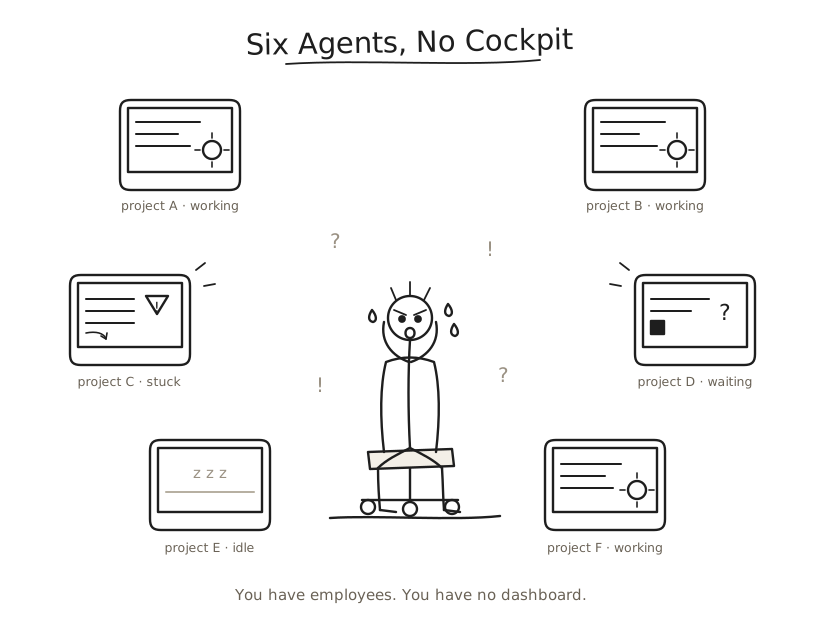
What it did
Swift, AppKit and Metal, with SwiftTerm underneath. One window, terminals grouped by project, and a state for every agent: working, needs input, error, inactive. I started with regex on the terminal output, because that needs nothing from the agent. Working is output that keeps streaming. Needs input is a prompt followed by silence. Error is the same failure repeating, and three cycles of it shows as "Stuck: compile error (5x, 3m)" instead of a green "working". No LLM calls anywhere in that path. By 2026-03-17 it had 153 tests.
Claude Code hooks came in the first week. A small binary forwards each hook event to a Unix socket, and the README says those events supersede the regex whenever they exist. The regex was a guess about text. The hook event was a statement from the agent, and I trusted it more.
The rule I set was that the cockpit shows the fleet and touches none of it. A watcher that can also act has a record you can no longer believe. I broke it myself: the MCP server exposed send_input, and the CLI had a send command. The window never typed into a session. Those two did.
The activity log
The feature I wanted most was Cmd+L: a timeline of everything every agent did across all projects, with files changed, commands run, errors and cost per task. The question behind it is always the same. What did the agent in project C do while I was on project A? Without the log the answer is to scroll up and reconstruct it. With it, a run that shipped something it should not have shows which agent ran which command, and where it went ahead without asking.
Why there is no cosmod
On 2026-03-17 I wrote a plan to pull the detection out of the window into a Go daemon called cosmod, in three repos (protocol, daemon, the Mac app as one client). Passive observation by default, hooks as an opt-in. The reasoning: the useful part was the detection and the log, and they should work over SSH and in CI, not only while a window is open. No cosmod repo exists under my account. The last commit to Cosmodrome came two days after that plan.
I stopped because it was no longer needed. In those weeks other tools for the same problem appeared, and mine was very close to them: it did nothing they did not already do. Many people were building the same thing, so I put my time into one of them, lince, with the people who build it.
What I do instead
Since 2026-05-14 I contribute to lince (RisorseArtificiali/lince, 34 stars). It is a Zellij plugin in Rust that turns a terminal into a multi-agent workstation: up to 8 agents, each in its own sandboxed pane, with a dashboard of their status. The top contributor, maeste, has 435 contributions. I have 29 and 18 merged PRs, several of them macOS fixes (136, 243, 244, 270), because lince started on Linux.
PR 144 is the closest thing to Cosmodrome's problem. With status_method = "file" the Status column never updated. poll_status_files() read the .state files with std::fs, but Zellij plugins run in a WASI sandbox where the host /tmp does not exist, so every read returned Err. The fix reads them through a host cat via run_command. Lince gets agent state from files that hooks write. Cosmodrome got it from hook events over a socket, with the regex as the fallback.
PR 243 is the other one I keep thinking about. On macOS the Seatbelt spawns ran the bare inner command, so an agent that was supposed to be sandboxed was not. The fix routes them through the agent-sandbox argv. PR 244 records the validation date, 2026-06-10.
Limits. I fix bugs in lince and do not own its design. I have not compared it with Cosmodrome side by side. Its dashboard also spawns agents, so it is a launcher as well as a watcher, and my rule that the watcher never acts does not hold there. I still run agents in parallel every day, and I still do not have the always-on record I wrote the plan for.